

This section is written for the technical person on your team — usually a developer or designer — who builds and maintains libraries. If you just want to create emails or landing pages from a library someone else built, start with Creating new projects.
What a library defines
A library is the complete design system that projects are built from. It defines:- Blocks — the self-contained sections (heroes, product grids, footers) that get assembled into projects.
- Shell HTML — the outer document that wraps every block: the
<head>, fonts, resets, and overall page structure. - Parameters — the specific fields (headline, image, accent color) that are safe to customize, on each block and at the library level.
- A type — either Email or Site (landing pages), which determines what kind of projects the library produces.
- A published state — whether the library is available to Denada and your team for building projects.
- A scripting language — optionally Liquid or Django, which enables personalization with dynamic content that gets wrapped in that syntax on export.
Why libraries matter
Without a shared system, every email or landing page becomes a one-off effort. Designers recreate layouts from scratch, marketers paste content into inconsistent documents, and brand guidelines slowly drift. Libraries solve this by centralizing your design system:- Brand consistency — every project uses the same approved components, so your visual identity stays intact across campaigns, teams, and regions.
- Reusability — build a component once, use it in hundreds of projects. Update the component, and every future project gets the improvement.
- Speed — marketers can create professional projects through chat or the editor without waiting for design support.
- Guardrails — libraries control what can be customized and what stays locked, so non-designers can personalize content without breaking the layout.
Blocks
Blocks are the building pieces of your projects. Each block is a self-contained piece of responsive HTML that handles one section — a hero banner, a text section, a product grid, a call-to-action strip, a footer, and so on. A typical library contains 10 to 30 blocks covering all the common patterns your projects need. When building a project, you pick the blocks you want and arrange them in order.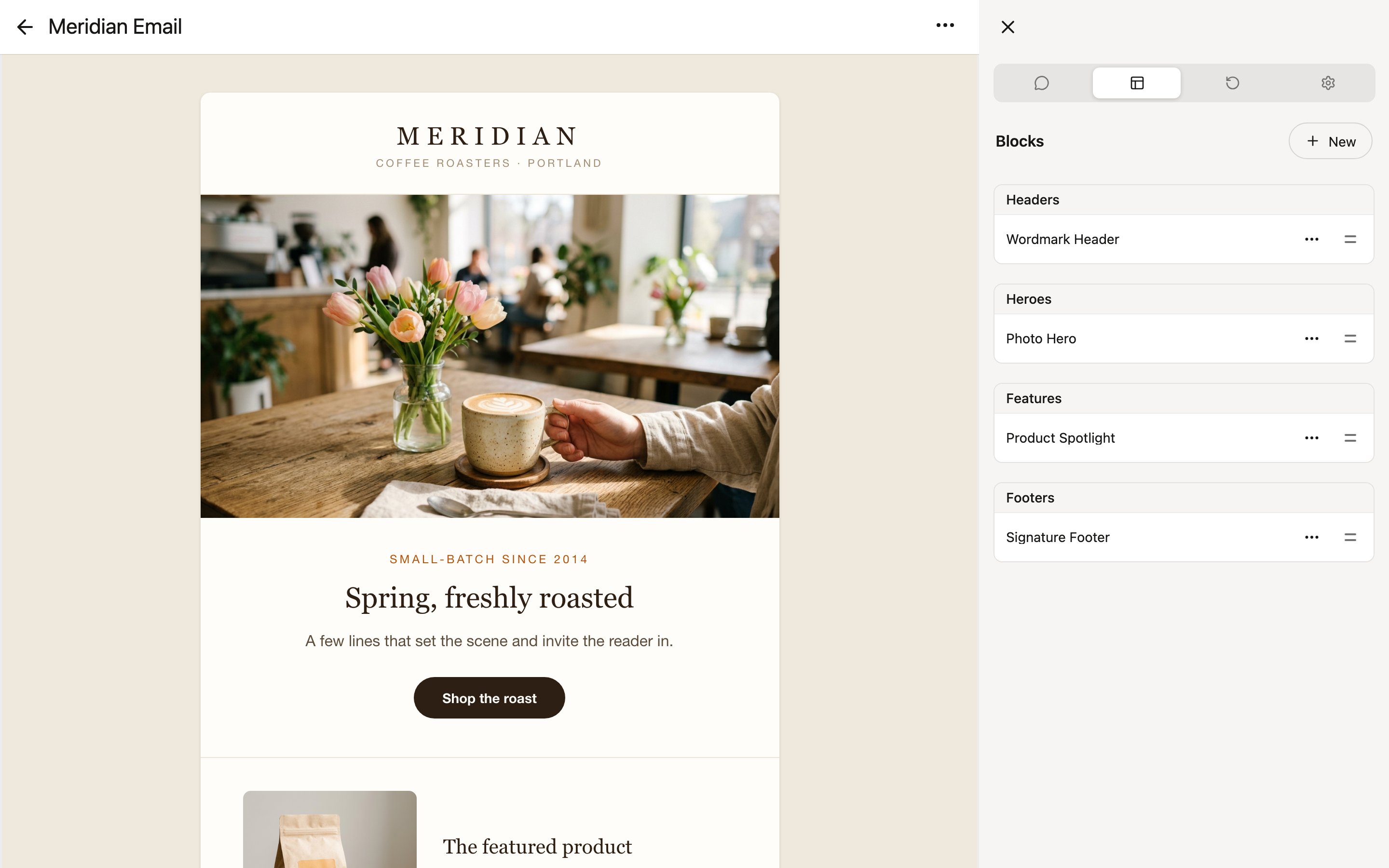
- Responsive — they adapt to desktop and mobile screen sizes automatically.
- Dark mode compatible — they render correctly in email clients that support dark mode.
- Self-contained — each block manages its own HTML and styling, so blocks can be mixed and matched freely without conflicts.
Parameters
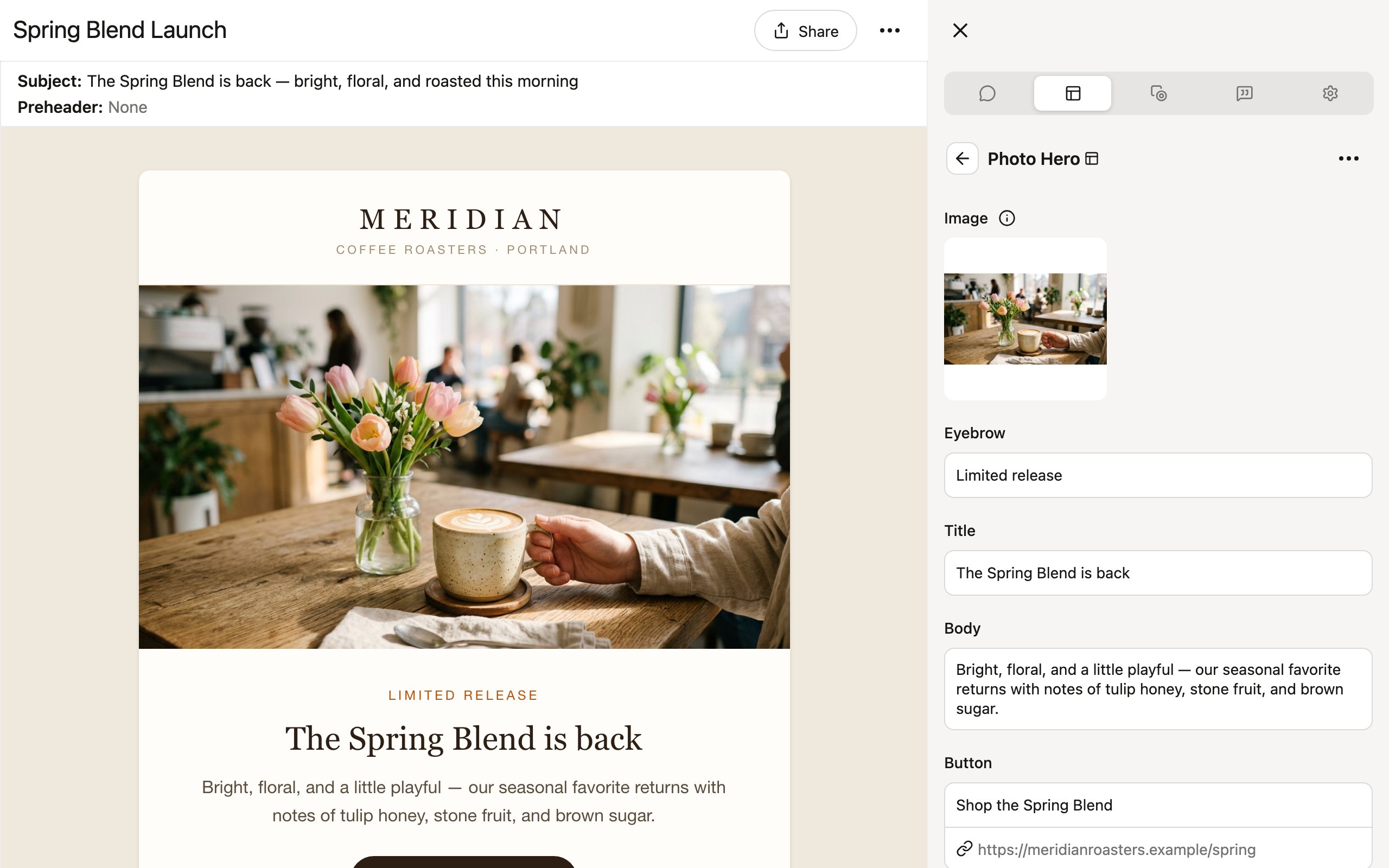
Every block exposes parameters — the specific fields that are safe to customize. Parameters are the bridge between the designer who built the block and the marketer who fills it in.Parameter types
How parameters work
When a marketer creates a project, they see only the parameters — not the underlying HTML. They fill in a headline, pick an image, toggle a section on or off, and the block’s HTML handles the rest. This means:- Marketers never need to edit code.
- The design stays pixel-perfect regardless of what content is entered.
- The library designer decides exactly what can change and what cannot.
The shell
Beyond individual blocks, every library has a shell: the outer HTML document that wraps the assembled blocks in every rendered project. The shell owns the<head>, font loading (see Fonts for hosting custom web fonts), CSS resets, and the overall frame. Parameters defined at the shell level become the library’s theme — shared values like a brand color that every block can reference.
Brand guidelines through libraries
Libraries are your brand guidelines made executable. Instead of a PDF that people may or may not follow, a library is a living system that enforces your standards automatically. A well-designed library:- Locks down fonts, spacing, and color palettes so they cannot be accidentally changed.
- Exposes only the parameters that should vary between projects.
- Provides enough block variety to cover your team’s common patterns.
- Includes sensible defaults so a new project looks good even before customization.
Publishing libraries
Once a library is ready, turn on its Published toggle in the library editor’s Options tab to make it available to your team. Published libraries appear when creating projects, and Denada can build with them in chat. Individual blocks have their own Published toggle too, so you can keep a work-in-progress block out of circulation while the rest of the library is live.Building and editing libraries requires the Libraries permission, which team owners can grant per member in team settings. Members without it can still use published libraries to create projects.
Versioning
Libraries support versioning so you can evolve your design system over time without breaking existing work.- Versions — the library editor records checkpoint versions automatically as you work, and you can save named versions at meaningful milestones.
- Pinned projects — every project keeps the library version it was built with. Later changes to the library never silently alter existing projects; each project pulls in updates only when someone chooses to. See Using libraries in projects.
Creating libraries
Libraries can be created in several ways:- In the app — create a new library and build its blocks yourself in the library editor, or describe what you need in the editor’s chat and let Denada build the blocks.
- From a
.libraryfile — import a library exported from another team or workspace. - With the Denada team — send your existing designs and the Denada team will build a fully parameterized library for you.
What to read next
- Creating libraries — the ways to start a new library.
- The library editor — where blocks, parameters, and versions are managed.
- Using libraries in projects — how projects select, pin, and update libraries.