> ## Documentation Index
> Fetch the complete documentation index at: https://help.heydenada.com/llms.txt
> Use this file to discover all available pages before exploring further.
# Custom domains
> Serve published projects from your own branded domain
When you [publish a project to the web](/exporting/publish-to-web) — like a [landing page](/creating/landing-pages) — it's served from Denada's domain by default. A custom domain lets you serve those published projects from your own branded URL instead, like `denada.yourcompany.com`.
Setting up a custom domain requires **owner** access to your team.
## Setting up a custom domain
Go to **Settings** in the Denada app, scroll to the **Custom domain** section, and click **Set up custom domain**. Enter the domain you'd like to use (e.g. `denada.yourcompany.com`).
At your DNS provider, create a CNAME record pointing your domain to `pages.heydenada.com`. The dialog shows this target with a click-to-copy shortcut.
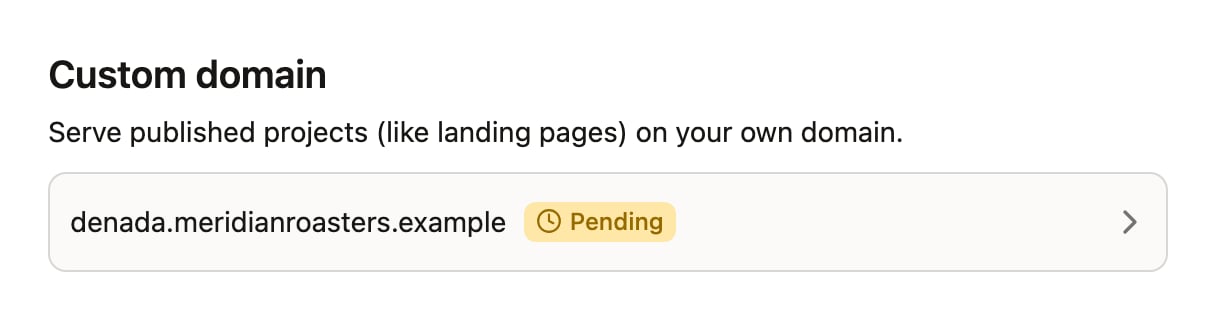
Your domain appears in the panel with a **Pending** badge while Denada provisions it and issues a TLS certificate. Click the domain and choose **Check status** to re-check — once your CNAME record is in place, the badge switches to **Active**.
Once active, published projects from your team are served from your custom domain over HTTPS. The certificate is issued and renewed automatically — there's nothing to upload or rotate.
 DNS changes can take up to 48 hours to propagate, though most complete within a few minutes.
## Domain status
| Badge | Meaning |
| ----------- | --------------------------------------------------------------------------------------------------------------------------------------------------------- |
| **Pending** | Denada is waiting for your CNAME record to be visible and for the TLS certificate to be issued. Click the domain and choose **Check status** to re-check. |
| **Active** | Your domain is verified and serving published projects. |
| **Failed** | Verification didn't succeed. Double-check that your CNAME record points to `pages.heydenada.com`, then re-add the domain or contact support. |
## Changing or removing your domain
Click your domain in the **Custom domain** panel:
* **Change domain** — enter a new domain. The old one is disconnected first.
* **Remove** — disconnect the domain. Published projects will no longer be accessible at that address (they remain available at their default Denada URLs).
A domain can only be connected to one Denada team at a time. If you see "This domain is already in use," it's connected to another team — remove it there first.
## Need help?
If you run into issues setting up a custom domain, reach out to [support@heydenada.com](mailto:support@heydenada.com) or ask in our [Community Slack](https://join.slack.com/t/denadacommunity/shared_invite/zt-33ermqnvl-kU9677V0eloK5Jf2SSNO5g).
DNS changes can take up to 48 hours to propagate, though most complete within a few minutes.
## Domain status
| Badge | Meaning |
| ----------- | --------------------------------------------------------------------------------------------------------------------------------------------------------- |
| **Pending** | Denada is waiting for your CNAME record to be visible and for the TLS certificate to be issued. Click the domain and choose **Check status** to re-check. |
| **Active** | Your domain is verified and serving published projects. |
| **Failed** | Verification didn't succeed. Double-check that your CNAME record points to `pages.heydenada.com`, then re-add the domain or contact support. |
## Changing or removing your domain
Click your domain in the **Custom domain** panel:
* **Change domain** — enter a new domain. The old one is disconnected first.
* **Remove** — disconnect the domain. Published projects will no longer be accessible at that address (they remain available at their default Denada URLs).
A domain can only be connected to one Denada team at a time. If you see "This domain is already in use," it's connected to another team — remove it there first.
## Need help?
If you run into issues setting up a custom domain, reach out to [support@heydenada.com](mailto:support@heydenada.com) or ask in our [Community Slack](https://join.slack.com/t/denadacommunity/shared_invite/zt-33ermqnvl-kU9677V0eloK5Jf2SSNO5g).