> ## Documentation Index
> Fetch the complete documentation index at: https://help.heydenada.com/llms.txt
> Use this file to discover all available pages before exploring further.
# Team docs
> Store brand guidelines, legal requirements, and briefs that Denada reads as context
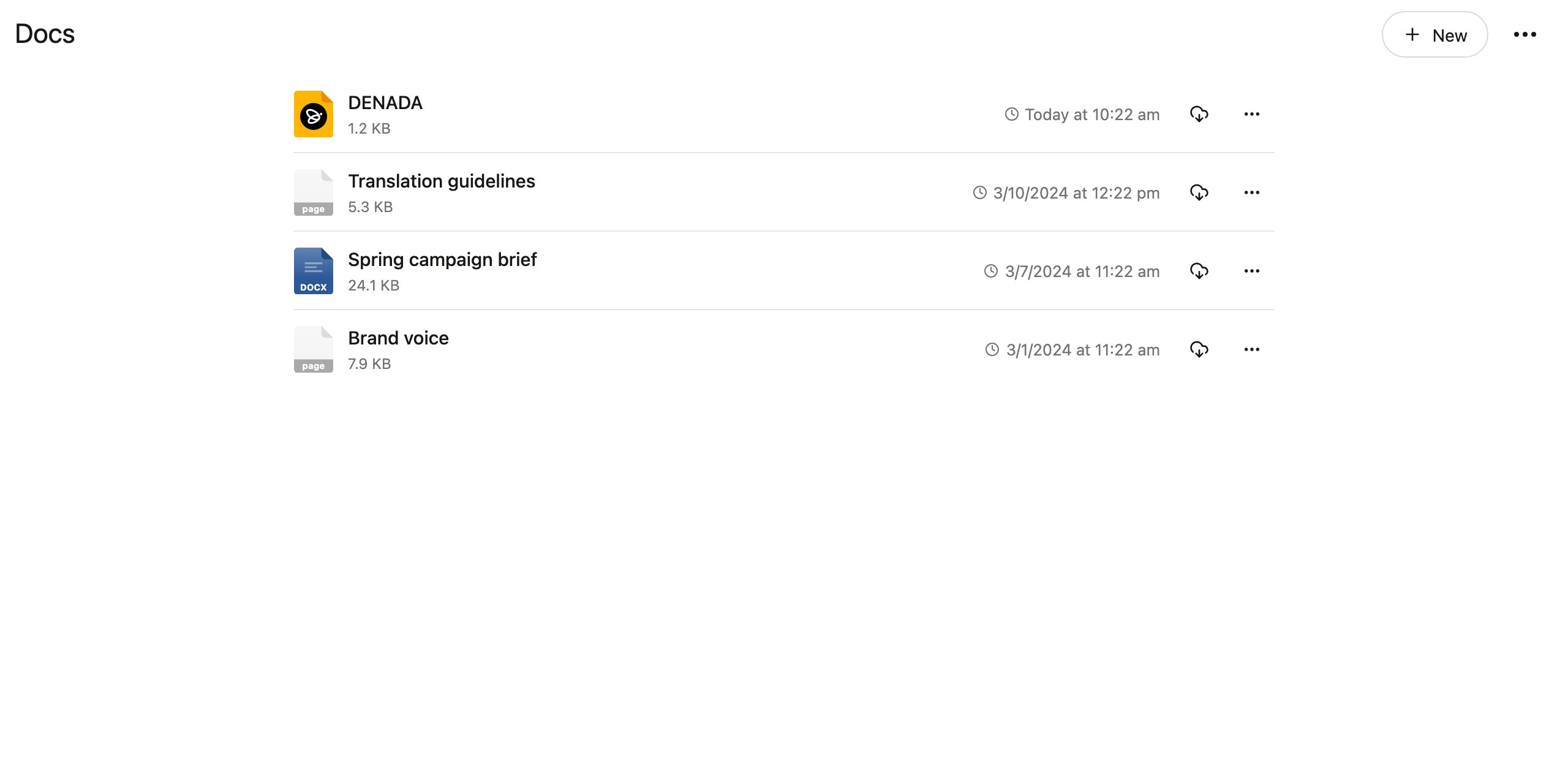
Docs is your team's reference library — the place for brand guidelines, legal requirements, compliance checklists, campaign briefs, and anything else that should inform how your creative gets made. Denada can read these documents during chat, so the knowledge in them shapes every project it helps you build.
## How Denada uses docs
When you ask Denada a question or make a request, it can pull up relevant documents and use them as context. For example:
* "Check this email against our legal guidelines" — Denada reads your legal doc and verifies compliance.
* "Make sure this follows our brand voice" — Denada references your brand style guide.
* "Write the hero copy from the Q3 brief" — Denada works from the brief you uploaded.
## The DENADA page
One doc is special. A page named **DENADA.page** at the top level of your docs is always given to Denada in every chat, no request needed — it's how your team customizes the way Denada operates. Use it for standing guidance: tone of voice, things to always or never do, product naming rules, links to your most important reference pages. If you haven't created it yet, choose **Create DENADA.page** from the **New** menu.
### Link pages together
While editing any page, type **@** to link to another doc. Denada follows those links when they're relevant to the task at hand — so a small, well-linked DENADA page becomes a map to everything else your team has written down.
This is the intended way to grow your docs: something like a small wiki, with the DENADA page as its front door.
### Keep the DENADA page small
Resist the urge to pile everything into one giant DENADA page. Too much standing information slows Denada down and dilutes its focus — just as it would for a human colleague who had to re-read your entire handbook before every task.
Instead:
* **Keep the DENADA page to the essentials** — the rules that apply to every single task.
* **Give each topic its own page** — a dedicated page for translation guidelines, one for legal requirements, one for each product line's voice.
* **Link to them with @** from the DENADA page, with a word or two about when each applies ("when translating, follow @Translation guidelines").
Denada reads the DENADA page every time, notices the relevant link, and pulls up the detailed page only when the task calls for it.
## Creating and uploading docs
Access **Docs** from the sidebar. The **New** menu offers:
* **New page** — a rich page that can contain text, images, and formatting, edited right in Denada.
* **New text file** — a plain file (like `guidelines.md` or `notes.txt`) edited in place.
* **New folder** — organize docs into folders, just like projects.
* **Upload docs** — bring in existing files. You can also drag and drop files anywhere on the Docs page.
 ### Supported file types
* **Pages and text files** (`.page`, `.md`, `.txt`, and other plain-text formats) are editable directly in Denada.
* **Office documents** (Word, Excel, PowerPoint, CSV, RTF, and more) are converted to text automatically so Denada can read them.
* **PDFs** have their text extracted for Denada to read.
* **Images, audio, and video** can be stored alongside your other docs.
For documents Denada should rely on heavily, plain text or pages work best — you can see and edit exactly what Denada reads.
## Plan availability
The full Docs section — multiple documents, folders, and uploads — is available on the Team plan. On other plans, the Docs area contains a single agents page where you can keep the standing guidance Denada uses in every chat.
If you don't see the full Docs section in your sidebar, check with your team owner about upgrading to the Team plan.
### Supported file types
* **Pages and text files** (`.page`, `.md`, `.txt`, and other plain-text formats) are editable directly in Denada.
* **Office documents** (Word, Excel, PowerPoint, CSV, RTF, and more) are converted to text automatically so Denada can read them.
* **PDFs** have their text extracted for Denada to read.
* **Images, audio, and video** can be stored alongside your other docs.
For documents Denada should rely on heavily, plain text or pages work best — you can see and edit exactly what Denada reads.
## Plan availability
The full Docs section — multiple documents, folders, and uploads — is available on the Team plan. On other plans, the Docs area contains a single agents page where you can keep the standing guidance Denada uses in every chat.
If you don't see the full Docs section in your sidebar, check with your team owner about upgrading to the Team plan.